How to Extend Your Smartphone’s Battery Life: 7 Expert Tips
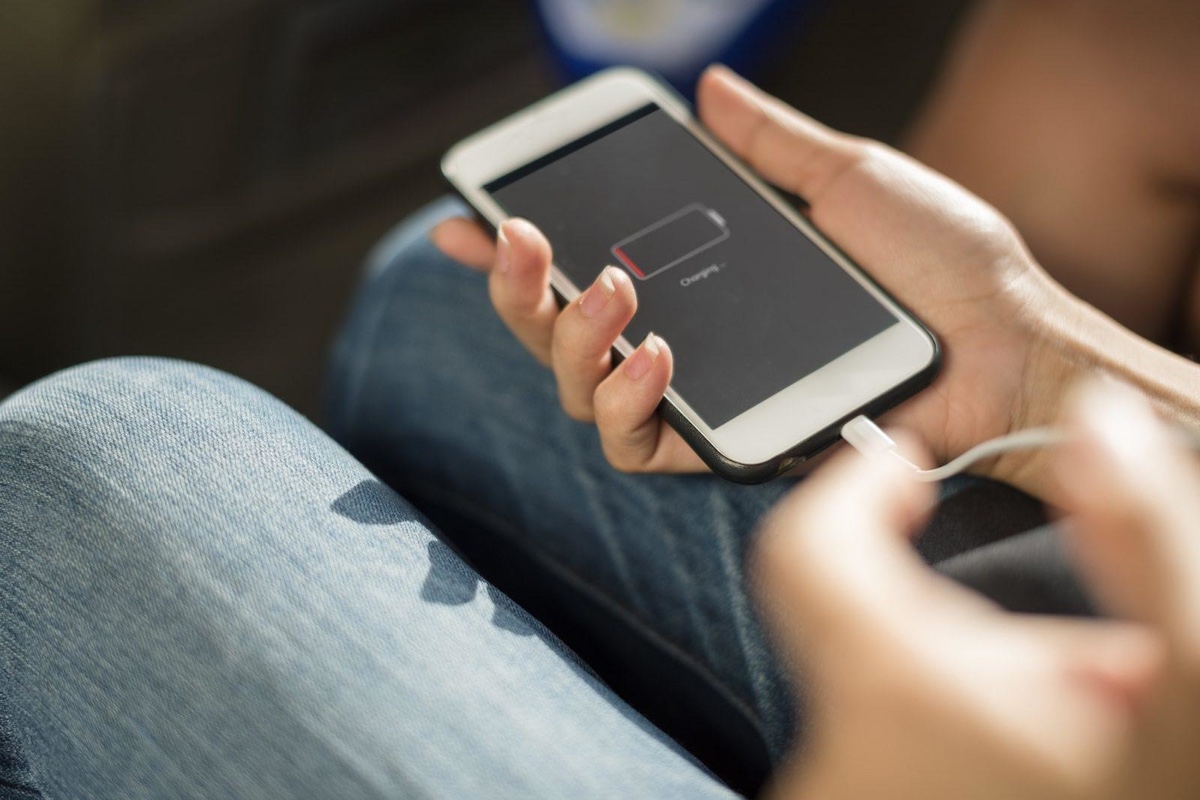
Whether you’re a power user or just want your phone to make it through the day, battery life is one of the most critical aspects of smartphone performance. Even with the advancements in fast charging and power-efficient processors in 2025, we still find ourselves needing to squeeze out a few more hours from our devices.
As someone deeply immersed in mobile tech, I’ve tested hundreds of phones and analyzed what really works. In this article, I’ll share 7 expert tips to help you extend your smartphone’s battery life — not just for the day, but for the long-term health of your battery as well.
Let’s dive in.
🔋 Why Battery Life Is Still a Challenge in 2025
Despite improvements in battery size (some phones now pack 5,500mAh+ cells), and smart charging features, real-world usage often drains batteries quickly — thanks to:
-
Bright, high-refresh-rate displays
-
5G connectivity
-
Background apps
-
AI-driven tasks running silently in the background
So how can you fight back? Let’s get into the strategies that actually work.
✅ 1. Manage Your Display — The #1 Battery Drainer
Your screen is always the biggest battery consumer. Here’s how to reduce its impact:
✔️ Lower screen brightness manually
Auto-brightness is helpful, but it often keeps your screen brighter than necessary. Set it manually when possible.
✔️ Turn off 120Hz/144Hz when not needed
High refresh rates make scrolling smooth, but also eat battery. Switch to 60Hz when you're not gaming or watching high-frame-rate videos.
✔️ Use dark mode (especially on AMOLED screens)
On OLED/AMOLED displays, dark mode can save up to 30% battery by turning off individual pixels.
✔️ Reduce screen timeout
Shorten your auto-lock timer to 30 seconds or 1 minute to avoid wasted screen time.
✅ 2. Turn Off Location Services — or Use Them Smarter
Location tracking is essential for maps and food delivery, but dozens of apps use it unnecessarily.
✔️ Set app permissions to “While Using the App”
In iOS and Android 15, you can restrict location access. Don’t allow constant background tracking.
✔️ Disable location for non-essential apps
Many apps request location even if they don’t need it. Turn it off entirely for social media, games, and shopping apps.
✅ 3. Optimize Background App Activity
Apps often stay active in the background, syncing data, fetching updates, or tracking usage.
✔️ Use battery optimization settings
Both Android and iOS now include app-by-app optimization. Find this in:
-
Android: Settings > Battery > App Battery Usage
-
iOS: Settings > General > Background App Refresh
✔️ Put unused apps to sleep
On Android, you can force-stop or “deep sleep” apps like old games, unused messaging apps, or shopping tools.
✅ 4. Manage Your Connectivity Settings
Wireless tech like 5G, Wi-Fi, and Bluetooth are incredibly useful — but also power-hungry when used inefficiently.
✔️ Use Wi-Fi instead of 5G when possible
Wi-Fi consumes less power than 5G, especially if signal strength is weak.
✔️ Turn off Bluetooth & NFC when not needed
Don’t leave these on all day unless you’re using them actively.
✔️ Activate Airplane Mode in low signal zones
Poor signal areas force your phone to work harder to stay connected — killing your battery. Airplane Mode saves power when you’re offline anyway.
✅ 5. Use Battery Saver or Power Saving Mode
Both Android and iOS include built-in battery-saving features that throttle background activity, animations, and syncing.
✔️ iPhone: Low Power Mode
Automatically triggers at 20%, but you can activate it anytime via Control Center.
✔️ Android: Battery Saver / Adaptive Battery
Find this in your battery settings — it’s especially useful if you’re traveling or away from a charger.
Bonus: Some Android devices offer ultra power saving modes that extend battery life for days by turning off everything except calls and messages.
✅ 6. Avoid Extreme Temperatures
Heat and cold can damage battery health and cause fast drainage.
✔️ Keep your phone out of direct sunlight
Sunlight can overheat your device, especially while charging or gaming.
✔️ Avoid charging in hot environments
Heat while charging degrades lithium-ion batteries over time. If your phone gets hot during charging, remove the case or move to a cooler spot.
✔️ Don’t use your phone heavily while charging
Gaming or video calls while plugged in can generate excess heat and degrade battery cells faster.
✅ 7. Charge Smart — Protect Long-Term Battery Health
Even with large batteries, how you charge matters for battery longevity.
✔️ Avoid charging to 100% or draining to 0% regularly
Ideally, keep your charge between 20%–80% for optimal battery health.
✔️ Use Smart Charging features
Many phones now include:
-
Apple’s Optimized Battery Charging
-
Samsung and Pixel’s Adaptive Charging
These slow down the charge when it’s not urgent (like overnight), reducing wear.
✔️ Use certified, high-quality chargers
Avoid cheap knockoffs that can deliver inconsistent power or damage battery circuits.
⚡ Bonus Tip: Use Battery Health Tools
Some phones now include battery health diagnostics:
-
iPhone: Settings > Battery > Battery Health & Charging
-
Pixel/Samsung: Under Device Care or via the Google Diagnostics app
Use these tools to monitor your battery’s capacity and check if it’s time for a replacement.
📱 Final Thoughts from David
In today’s world, your phone is your companion — and keeping it powered up is critical. The good news? You don’t have to change your habits drastically. A few smart tweaks can dramatically extend daily battery life and preserve the health of your battery over months and years.
Whether you're trying to make your device last until bedtime or just keep your battery healthy for the long haul, these tips will help you stay connected longer, charge less, and worry less.
For more smart smartphone advice, stay tuned to Mob-Finder.online — where mobile tech is made simple.
Thanks for reading,
David Delavari
Latest Articles








Latest Updates in Online Courses and Education.
At Mob-Finder.online, we believe that a smartphone review should be more than just a spec sheet recap or a quick...
Read MoreThe mobile technology world is moving faster than ever — and in 2025, we’re seeing breakthroughs that are set to...
Read MoreOnce upon a time, taking professional-looking photos required an expensive DSLR, bulky gear, and a deep understanding of photography. But...
Read MoreWith millions of mobile apps available across iOS and Android, finding the right tools to boost your productivity and bring...
Read MoreFoldable phones have transformed from futuristic concepts to real-world products in just a few years. In 2025, the market is...
Read MoreWhen it comes to smartphones, one of the biggest choices you'll face is the operating system. In 2025, the two...
Read MoreWhen it comes to smartphones, you don’t need to spend a fortune to get a reliable, high-performing device. As mobile...
Read MoreIn today’s hyper-connected world, mobile users are constantly chasing the fastest, most reliable internet connections — whether for streaming, gaming,...
Read MoreExploring the Ancient World: Bible History & Archaeology
Uncover the people, places, and events that shaped biblical and ancient history.
Dive into a rich collection of resources on ancient civilizations, biblical archaeology, and historical contexts. From the empires of Babylon and Assyria to the life of Jesus and the early church, discover maps, timelines, commentaries, and scholarly insights that bring the ancient world to life. Explore the intersection of faith, history, and archaeology with our curated articles, maps, and studies.